HiyaGuest

The Home Concierge · for short-term rental hosts

A stay with nothing left unanswered.

A handmade wood-framed display that's intentionally simpler than another tablet or screen. Your place is a getaway, not a waiting room. Connect your bookings once, and Hiya is ready for every stay.

Built by hand in small batches in North Carolina — founding pre-orders are open.

Hiya Concierge — a wood-framed LED box on a side table in a beach rental, its dot-matrix display reading HI, I'M HIYA GUEST CONCIERGE

The voice concierge

Hold the button. Just ask.

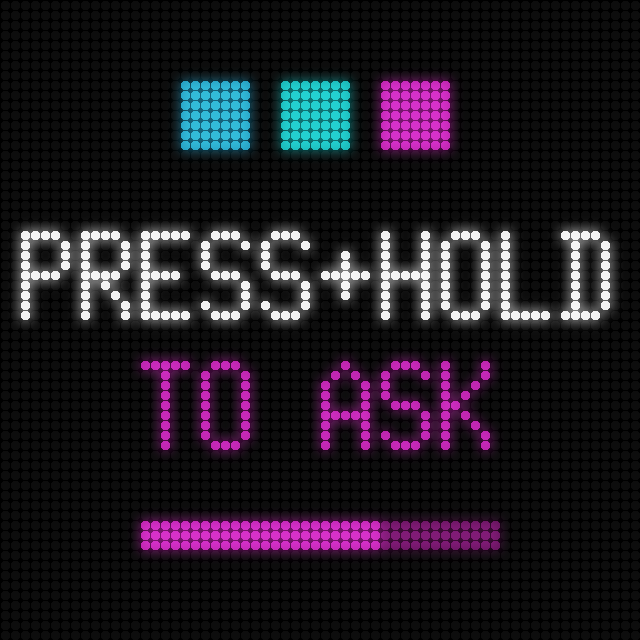
LED screen: three brand dots, PRESS+HOLD in white, TO ASK in magenta, with a filling progress bar

Like a walkie-talkie to a concierge

A guest holds the button on top of the box, asks out loud — "when is trash day?", "where's the best coffee?" — and lets go. A moment later the box answers, spoken aloud and scrolling across the screen.

Answers come from you

It answers only from the house guide you upload or add in your host portal, so it says what you would say. Anything you haven't covered, it refers to you instead of guessing — no made-up answers about your home.

Private by design

The microphone is wired to the button: it listens only while the button is physically held. No wake word, no always-on listening, no recordings kept.

The home concierge

Made by hand.

Maple, mitered

A solid maple shadow box with mitered corners, wrapped around a 64 × 64 LED matrix behind black acrylic. 7.9″ × 7.9″ × 3″ (200 × 200 × 77 mm) — small enough for a side table, warm enough for the mantel.

Cut and varnished by hand

Every frame is cut, sanded, and varnished one at a time in North Carolina, finished in clear semi-gloss so the grain does the talking. No two are quite alike.

One button

The only control on the whole box is a stainless button set flush into the top: hold it to ask. Nothing to pair, nothing to charge, nothing else to learn.

Close-up of the box's top corner: a mitered maple frame with a clear finish, a stainless ask button set into the top, and the ocean out the window behind

Your host portal

You decide what it shows.

Every screen in the rotation is a switch you flip, a few lines you write, or a booking you already have. It all lives in one portal, on your phone or your laptop — change something and the Concierge will reflect it. No app for you or your guests to download.

Customizable

Hosts can toggle screens off and on, and create customized messages.

Location-Aware

Your property address unlocks nearby events, weather, restaurants, and much more.

Personalized

Hiya Concierge greets your guests by name, and knows to wish them a happy 50th anniversary.

A day on the wall

Straight off the box.

Real renders from a live property — the same code the device runs, one dot per LED.


Animated LED screen: three brand dots, WELCOME, and SMITH FAMILY gliding across in amber
Their own name on the wall, the day they arrive.
Animated LED screen: the host's welcome note scrolling up like credits — coffee's in the cupboard, the beach cart is yours
Your welcome message, rolling in on arrival day.
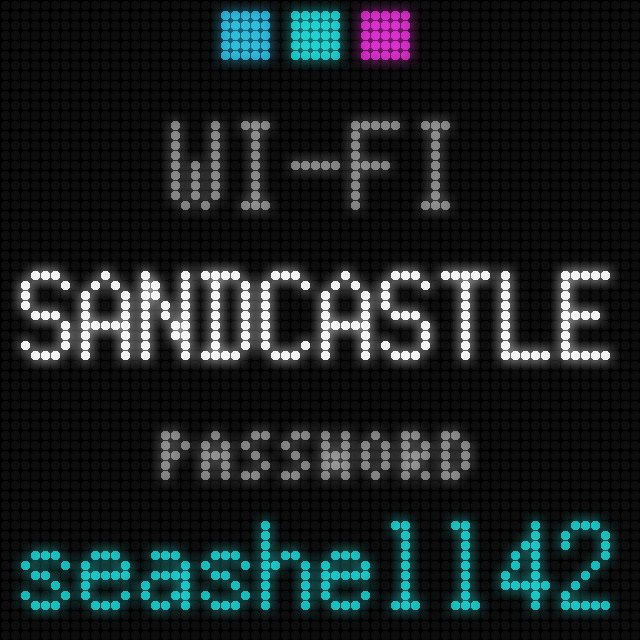
LED screen: WI-FI, network name SANDCASTLE, and the password in teal
The wifi, right where guests look first.
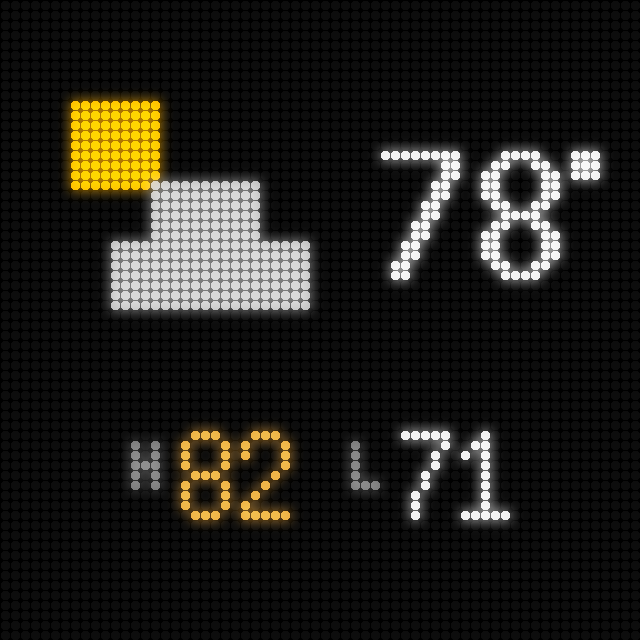
LED screen: sun-behind-cloud icon, 78 degrees, high 82 low 71
Today's weather, with the high and low.
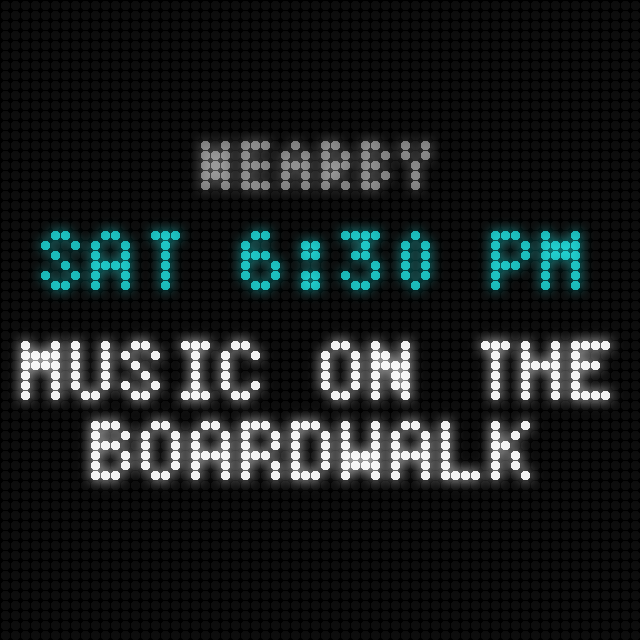
LED screen: NEARBY, SAT 6:30 PM in teal, MUSIC ON THE BOARDWALK
What's on around town this week.

Animated LED screen: HIGH TIDE in teal with an up chevron, IN 3H 57M, AT 1:08 AM, over rolling waves
The tide clock, for stays by the water.
Animated LED screen: a note scrolling up like credits — celebrating 25 years of Dan and Sarah
A note for one stay only — an anniversary, a late arrival.
Animated LED screen: CHECK-OUT TOMORROW in amber, 10:00 AM, and the host's instructions scrolling up
Your check-out instructions, the evening before.

Good manners

It knows when to fade into the background.




You set the waking hours in your portal — 6am to 10pm to start. At your closing time the box doesn't just cut out: it fades down over twenty minutes, says goodnight, and rests warm and dim until morning, when it says good morning again. If a guest wants the room dark sooner, the box offers first — a double press puts it out until morning, and any press brings it back. Between stays it switches itself off entirely, still awake enough to answer a touch.

Animated LED screen: a crescent moon with drifting ZZ, SLEEPY? above PRESS 2X FOR LIGHTS OUT
It offers — nobody has to reach for the plug.
Animated LED screen: a crescent moon over a starfield, GOOD NIGHT, and SEE YOU TOMORROW
At your closing hour, it says goodnight and dims.
Animated LED screen: a sun rising over a horizon line, GOOD MORNING in warm amber
And greets the house again in the morning.

The pocket concierge — on the same subscription

In their pocket, too.

Scan the box, take it with you

During each stay the box shows a QR code. One scan opens that stay's own page in the guest's browser — the same concierge, out at the beach or in line for coffee: ask anything, tap to copy the wifi, check the checkout time, see your notes and what's on around town today.

Nothing to install

No app, no account, no sign-in. It's a private link minted just for that stay, and it retires itself at checkout. Pocket Concierge is part of the same subscription that makes the box answer — one subscription, both surfaces. Or take it on its own, without the hardware.

Hiya answers — not your phone

Questions go to the concierge, not to you. Every reply comes automatically from the same house guide the box speaks from, and it's labeled as automated — guests always know it's Hiya they're talking to, not their host. Same handling, too: what's asked during a stay is saved with the booking so you can fix anything the guide got wrong.

Questions hosts ask

What do I need to run it?

A power outlet and your wifi — that's it. No TV, no app for your guests, nothing to install. On first power-up the box creates its own temporary wifi network — connect to it from your phone, enter your home wifi details, and the box comes online, already linked to your place.

How does it know my guests' names and dates?

From your bookings — three ways, your choice. Best: connect your booking system directly — OwnerRez, Lodgify, Hostaway, or your Airbnb account — and names and dates arrive together, sync themselves every hour, and update when bookings change. Completely hands-off. Or paste the calendar link from your Airbnb, Vrbo, or Booking.com listing — each stay's dates then arrive on their own, and you just add the guest's name in the portal. Or simply type stays in by hand.

Is the microphone always listening?

No. The microphone is wired to the button and listens only while the button is physically held. There's no wake word, no always-on listening, and recordings aren't kept after the question is answered.

Where do the voice answers come from?

Only from the house guide you upload or add in your host portal — so it says what you would say. Anything you haven't covered, the box refers the guest to you instead of guessing.

What happens if I let the voice subscription lapse?

Your guests won't notice a thing — the box keeps doing everything else: the welcome by name, the wifi, weather, local events, and check-out reminders. The ask screen simply leaves the rotation, and if someone does hold the button, the box politely points them to you. Switch it back on anytime.

Can I choose what it shows?

Yes — every screen is a toggle in your portal, from tides to local events. The box also dims in the evening and rests overnight, so it's a warm glow, never a bright light.

Bring Hiya home.

Built by hand in small batches in North Carolina — $199 for the box, plus a Hiya Home Concierge subscription from $9.99 a month. Founding pre-orders ship free and go first in the build queue.

Reserve yours — $199 →

Conditional pre-order — cancel for a full refund any time before your box ships. Price excludes sales tax, added at checkout where required.